Google Everything Everywhere
Awesome google products that we use daily and cannot live without
12/11/20233 min read


Adulting is HARD. There is no denying it. However, here are four free Google products that we swore by, that have made our lives so much easier:
Google Drive is surely one of the most well-known online platforms created by Google. It offers rich support for editing a wide range of documents (docs, sheets, slides, and others), real-time collaborations and the possibility of accessing your files anywhere. We used Google Drive for almost everything - to work on our blog and to store important files.
Two Google products that many people might not be familiar with are Google Sites and Google Collab. Google Sites enables anyone to create a website that looks good across multiple platforms and supports collaboration. You can use this to showcase your work or maybe start your side hustle. On the other hand, Google Collab provides easy access for everyone who wants to learn programming and data science. It is as easy as creating a new notebook, writing your code and voila, it runs! On top of all these wonderful features, they are all FREE!
Yes to freebies and especially the good ones ;)
PRO TIP: you do not need to subscribe to Microsoft Office as you can access Word, Excel and PowerPoint via Google Drive.
Everyone knows about Google Calendar. When work piles up, we no longer remember and lose track of all the personal and important events. Thankfully, we have Google Calendar to remind us when our special ones’ birthdays are coming up or when there are important meetings. But, that is not all Google Calendar can do. Google Task also allows you to create tasks with calendar reminders (although it lacks collaborative features). You can also create appointment slots and let others book your time. This will be very helpful for those who are doing consulting work or providing any services on the side.
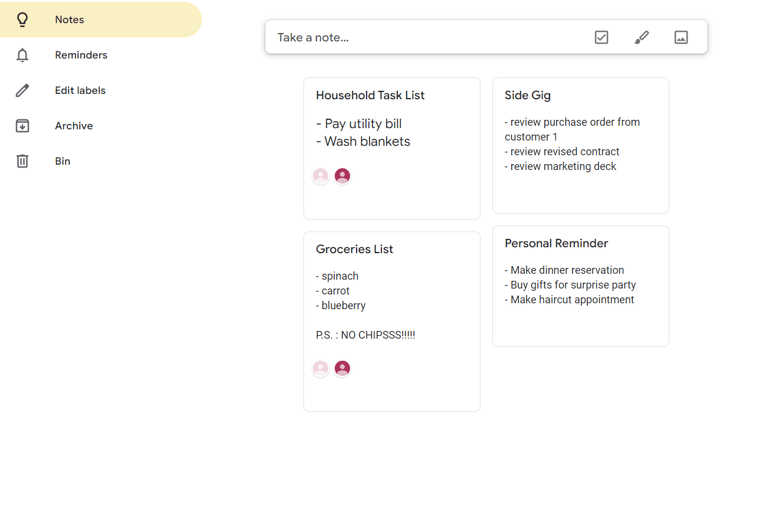
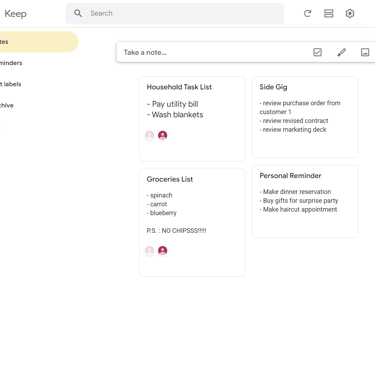
Google Keep provides note-taking with collaborative features. We use it like sticky notes to remind each other of our to-do-lists. It might be similar to Google Docs but it has a simpler feature and can be used as widgets in our phone, which makes it more accessible when you are on-the-go. What we find very useful is its ability to segment different types of chores or reminders with multiple sticky notes while fitting them all together on one widget (e.g. packing list, shopping list, and others). You can also choose whether to involve specific notes with your friends and families. This way, you can combine your social, personal and work reminders all on ONE screen!
With the importance of cyber security due to the increased prevalence of scams and fraudulent activities, our online authentication methods have to be constantly updated to stay ahead of the ‘bad guys’. Even with the development of 2FA authentication or other virtual authenticating methods, most of our online accounts still rely on the password we have set when creating said accounts.
Google Password helps you generate different complicated passwords and automatically store them in your Google account. As long as you are using Google Chrome to access it, Google will automatically remember and key in your sign-in details on the respective websites. With this, you will have a unique set of ‘strong’ passwords for different accounts, while only remembering ONE password to your Google account. You can think of it as being able to access multiple locked and secure doors with just ONE master key that only you have knowledge of! Never reuse your password again!
Initially, when the Mr. introduced me to this function, I was a tad skeptical as I prided myself in having good memories and hence able to memorize all my passwords. However, once I started using Google Password, I realized how rarely I have to update and generate new passwords because I kept forgetting them. I have used it for two years and I never looked back. Call me extra, but I find Google Password life-changing.
Those are the four Google platforms we swore by. If you have not already used it, we IMPLORE you to incorporate them into your daily habits.